
Fuse Compressor
is a dynamic sculpting effect.
$49
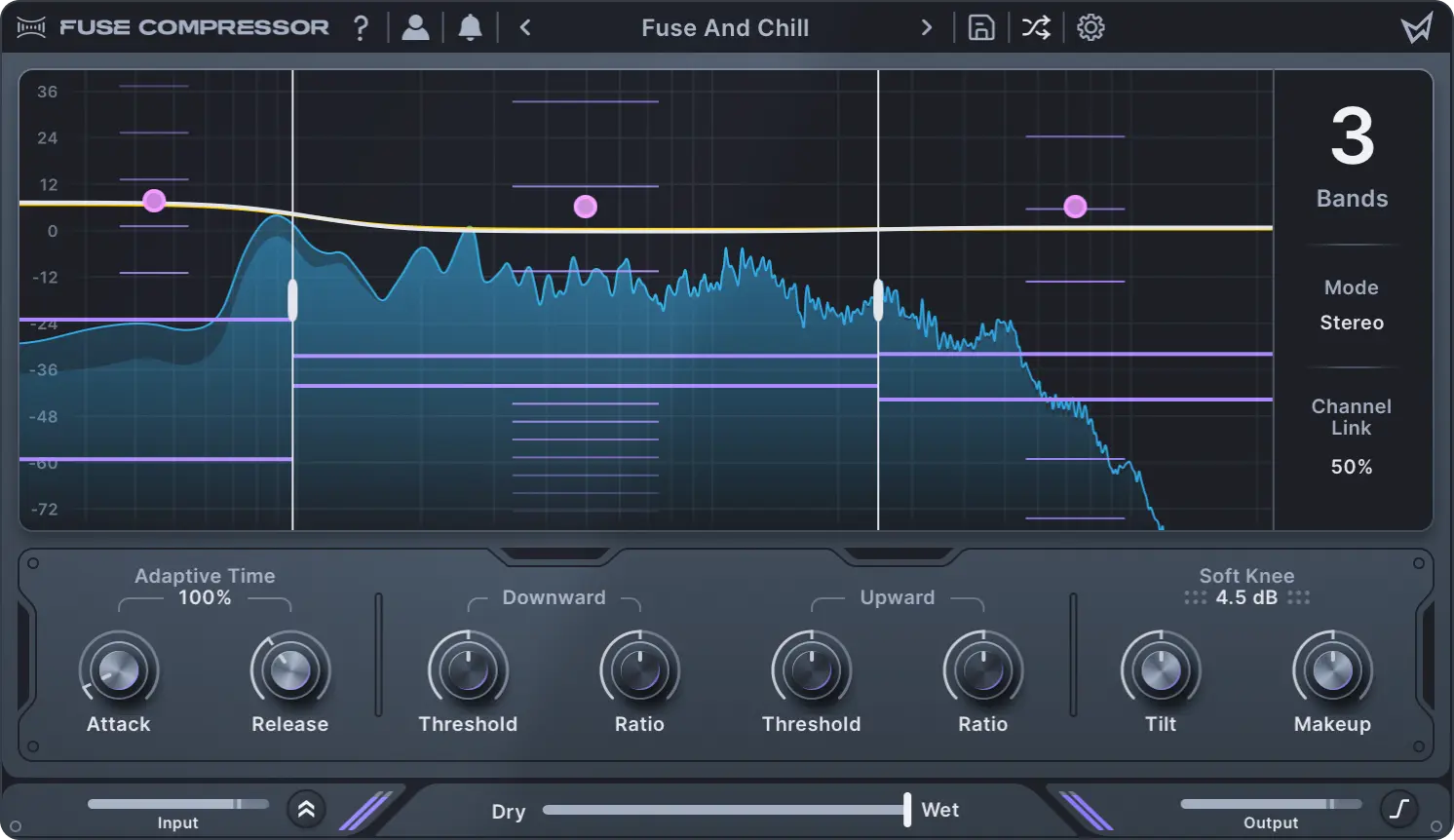

Add energy and clarity to your sounds with intuitive controls.
Powerful dynamics shaping.
Use up to six bands of dual compression. Create effects that range from transparent glue to hyper-detailed enhancement and much more.
All about the workflow.
Multi-band compression can be tricky. Features like macro ratio control, spectral tilt, and adaptive time make it easy. Create music without getting lost in technical details.
Precision when you need it.
Mid-side processing, soft knee, channel linking, and individual band controls allow you to quickly dial in your settings as needed.
Diverse preset library.
Choose from 40+ versatile presets ranging from classic control to new over-the-top configurations.
Make it
yours
Dynamic Sculpting Effect
- Fuse Compressor
- Factory content
- 2 activations
- Free updates & support
 Subscribe-To-Own
- Fuse Compressor + all software
- Factory content + all expansion packs
- 2 activations + monthly credit back*
- Free updates & support

*Store credit cannot be combined with other promotions.
Demos
Elevate Plus
Fuse and Chill
Spectrum Enhance
Main features
Multi-band engine
Apply up to six bands of independent upward and downward compression.
Dynamic spectrum display
See exactly how you're compressing across the spectrum with our dynamic response curve.
Spectral tilt
Quickly adjust the internal multi-band dynamics to increase or decrease the distribution of compression across low to high frequencies.
Adaptive time
Automatically adjust the attack and release times for each frequency band to create cleaner or more exaggerated compression characters.
Macro controls
Use multi-band compression like a standard compressor by adjusting all per-band thresholds or ratios simultaneously.
Per-band settings
Set per-band thresholds, ratios, makeup gain, bypass, and solo individually for total flexibility.
Mid-side and stereo control
Combine stereo and mid-side modes, and use variable channel linking to control your stereo image.
Inspiring presets
Access expertly designed presets that cover a variety of use cases, from transparent mixing to over-the-top character compression.
In-App Tooltips
Become an expert with built-in tooltips that make learning Fuse Compressor a breeze.
Questions?
Answers.
Fuse Compressor
What are the system requirements for Fuse Compressor?
macOS 10.11 or later, including native Apple silicon, or Windows 10 or later. Requires a 64-bit DAW that supports AAX, AU, or VST3.
Is an internet connection required for use?
An internet connection is required for activation, but not for general use.
Where can I find the Fuse Compressor manual?
Fuse Compressor's online manual can be found here. You can also export it as a PDF for offline use. See the first page of the manual for details.
All Access
Will I lose my tracks if I cancel my All Access plan?
No, you will always be able to play back your sounds; we never disable our audio engines or produce any trial noise. Canceling your plan will only prevent you from using new instances of the plugin or making changes to existing settings. You can purchase any plugins perpetually if you would like to continue to use them after cancelling All Access.
How long does it take to own Fuse Compressor via All Access?
It will take 4 months to receive enough ownership credit for a Fuse Compressor perpetual license. Note that you can also mix your ownership credit with cash at any time.
How do I cancel my All Access plan?
You can cancel your plan at any time from your account page. There are no commitments or cancellation fees.